Frequently asked questions about the Sync™ Bluetooth Card Reader
What is the Sync™ Card Reader? #
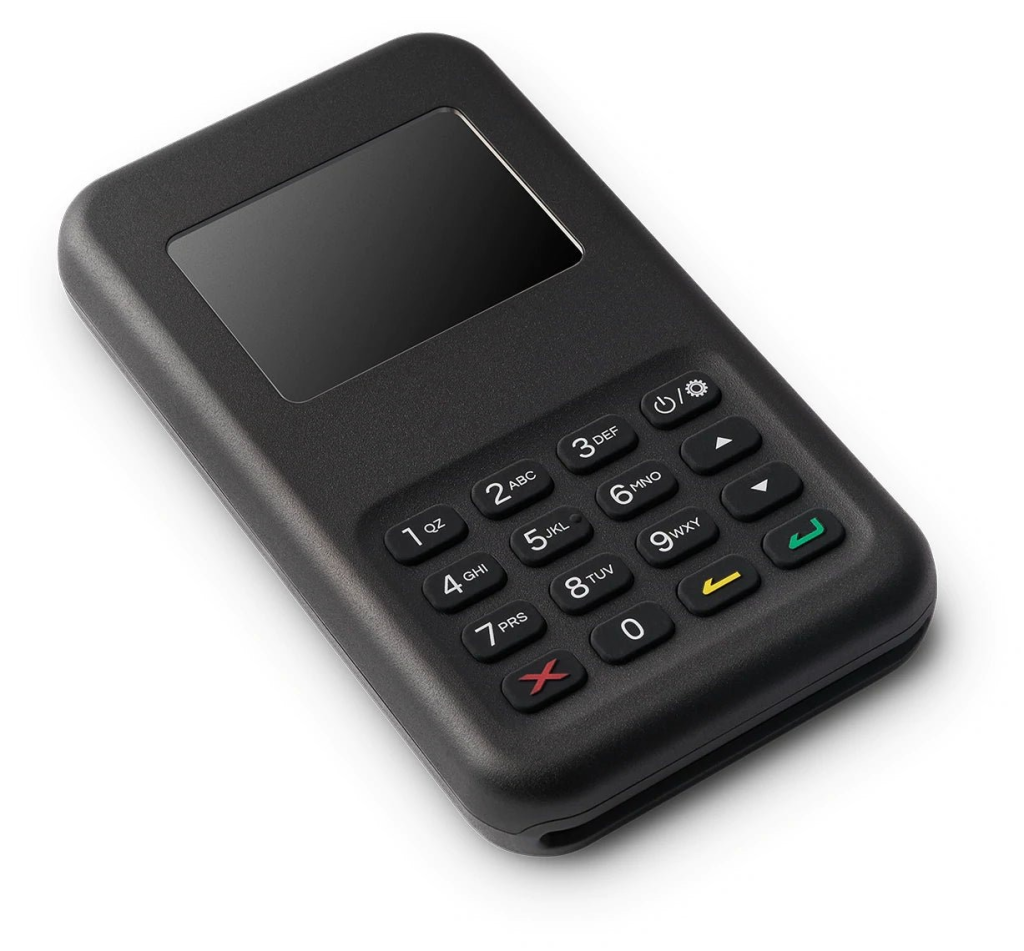
Our card reader is the WisePad 3 model. This Bluetooth card reader accepts chip & PIN, contactless card payments, Apple Pay, and Google Pay. It does not support swiping (magstripe) or CNP (Card Not Present) transactions.
If connecting to an iPhone or iPad, you will need iOS 12.5.1 or higher.
Please note: The card reader must always be connected to your Sync™ app to receive a payment. You can only connect one card reader per phone/tablet at any one time.
What does it cost & how do I order? #
Once you’ve completed registration and identity verification, you can order your first card reader for just £24 + £6.95 postage & packaging within the app. Simply claim your discounted card reader as part of your account set up. Please click here for more details.
Additional card readers can be purchased for £49 plus P&P from our store here.
Please note: Orders typically take 2 business days to arrive. You can see an estimated delivery date and track your order via the ‘My Devices’ page in the app.
How do I connect my card reader? #
When you receive your Sync™card reader, you’ll need to connect it to your Sync™account. This can be done via Bluetooth (step-by-step guide here) or by a cable (details here).
Please ensure you first connect your card reader well in advance of trading to allow for a firmware update.
If you’re having trouble connecting your card reader, please check the troubleshooting steps here:
- iOS devices
- Android devices
How do I update my card reader? #
When you first connect your card reader it will likely require a firmware update. Firmware updates come from the manufacturer and will be required from time to time.
Firmware updates use a large amount of battery, so please ensure that the reader has at least 50% charge before initiating the process. Please also keep the app open during the update process.
If the update has stalled, please disconnect the card reader and then reconnect it to restart the update.
Do I need to have a card reader to use Sync™? #
Card readers are just one way for your customers to pay. For more info on the ways to take payments with Sync™ please click here.
Can I change the delivery address or cancel an order? #
If you need to cancel your order or change the delivery address, please email support@Sync™.com immediately. We are only able to cancel or amend an order if it has not yet been dispatched.
What do I do if my card reader is faulty? #
Sync™ offers a one-year limited warranty on all card readers purchased through Sync™. If your reader/terminal breaks or malfunctions, please email support@Sync™.com with the details of the Sync™ account that placed the initial order and a description of the issue you are experiencing.
This limited warranty applies only to unaltered readers/terminals not subject to accident, misuse, or neglect. This limited warranty gives you specific rights and is personal to you. You may not transfer this warranty to any other person.
Note: The Card Reader is not liquid-proof. Please make appropriate efforts to make sure the device remains dry. If your device has experienced liquid ingress, we recommend that you stop using the device and let it dry thoroughly before attempting to re-use or charge the device.
What if I want to return my card reader? #
You may return a Sync™ reader/terminal in its original packaging and condition (including all accessories and components) within 30 days after the date of your purchase. To begin the return process, please email support@Sync™.com.
We will provide you with return shipping instructions. If you follow our instructions, we will cover the cost of return shipping and refund your purchase price in full once the reader/terminal has been received at the return address provided.
For any further questions or help, please email us at support@Sync™.com.


